Vehicles
How to register a car in GTA 6
How to register a car in GTA 6 as a personal vehicle: Pay 'N' Spray Register option, the cost on the vehicle panel, garage room, Moses and Scooter Bros.
By the Vice Tally field teamPublished Updated
To register a car in GTA 6, drive it to a Pay ‘N’ Spray garage, open the menu and choose Register, which swaps the plates and adds the car to your personal vehicles. You need a free garage spot, and the fee is shown as the cost to register on the vehicle panel.
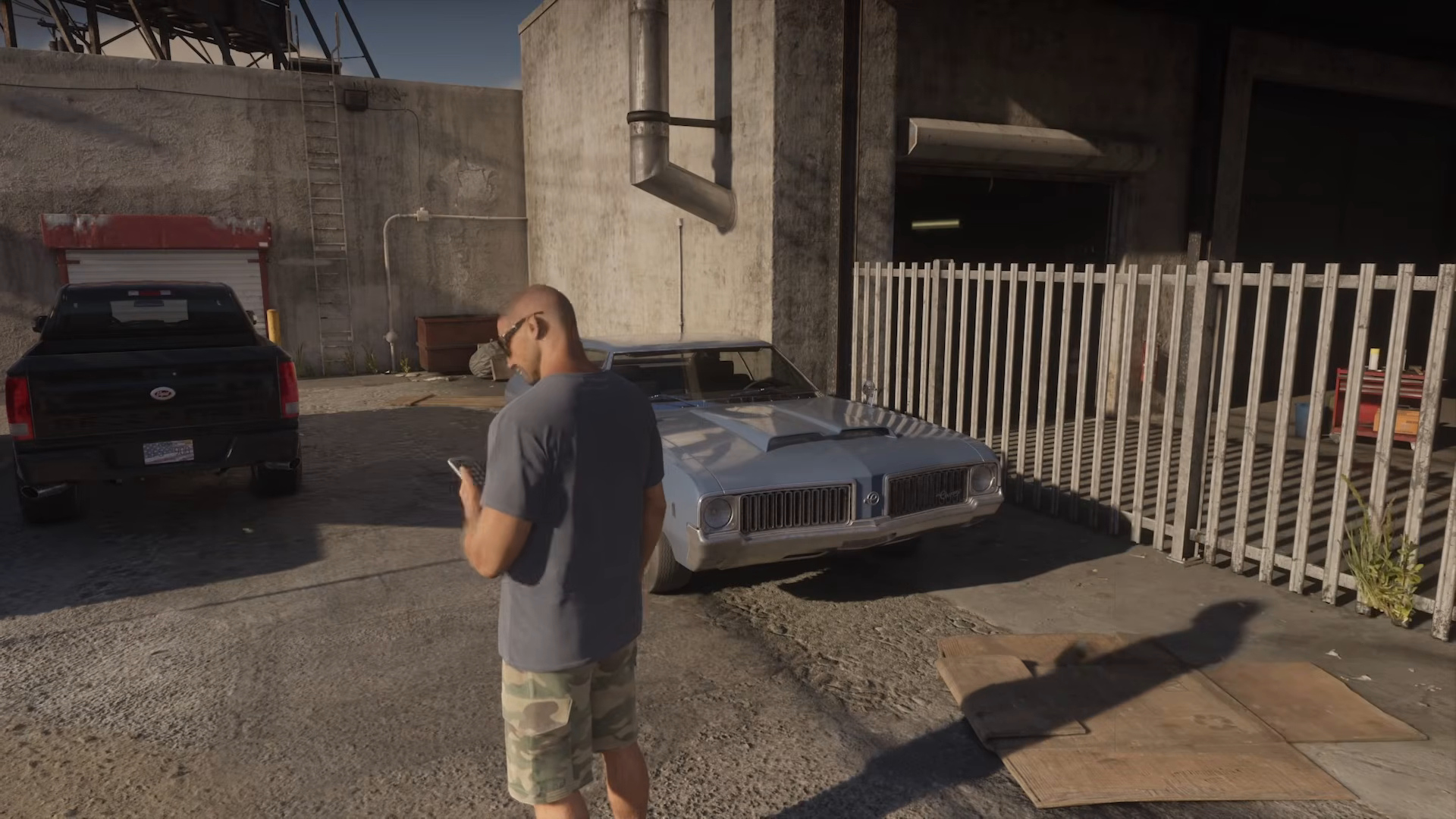
Registering is worth doing for one reason. A registered car becomes a personal vehicle, and players report that you can call it in from anywhere with your phone. The rest of this page covers what the fee looks like, what blocks a registration, and where each kind of car should go.
At a glance
- Where
- Pay 'N' Spray garage, Register option
- Fee
- Shown as cost to register on the vehicle panel
- Needs
- A free spot in your garages
- Untracked cars
- Moses
- Getting it back
- Scooter Bros app
When registration opens up
Players report that the feature first shows up in chapter 2, when Moses introduces you to the system. He comes with limits. Moses only takes untracked cars. Players also report that in chapter 3 more shops appear that buy cars with a standard tracking system, so the right venue depends on the tracker on the car you are driving.
That is the main thing to understand before you start. Different vehicles go to different buyers, and a venue that works for one car will refuse another. You do not need to guess, because the game tells you, as the steps below show.
Steps
- Pick the car and open its vehicle panel. Read the sell value, the tracker line and the cost to register. If the panel shows no sell value and no registration value, that car cannot be registered, so stop there.
- Check the garage room. Registered cars take a spot, so open your stored vehicles and make sure one slot reads empty.
- Open the map and look at the venue popups. A popup that says it is interested in your car's model means you can sell it there, and players report the same goes for registering.
- Drive to the Pay 'N' Spray, or to Moses for an untracked car. Hover over the venue in any vehicle and the game tells you whether the car can be used there.
- In the garage menu, choose Register. The text under it reads: swap plates and register this vehicle as yours. Confirm the fee.
- Open the Scooter Bros app afterwards. Your car now sits in your personal vehicles, and you can call it in when you want it.
What the Pay ‘N’ Spray menu offers
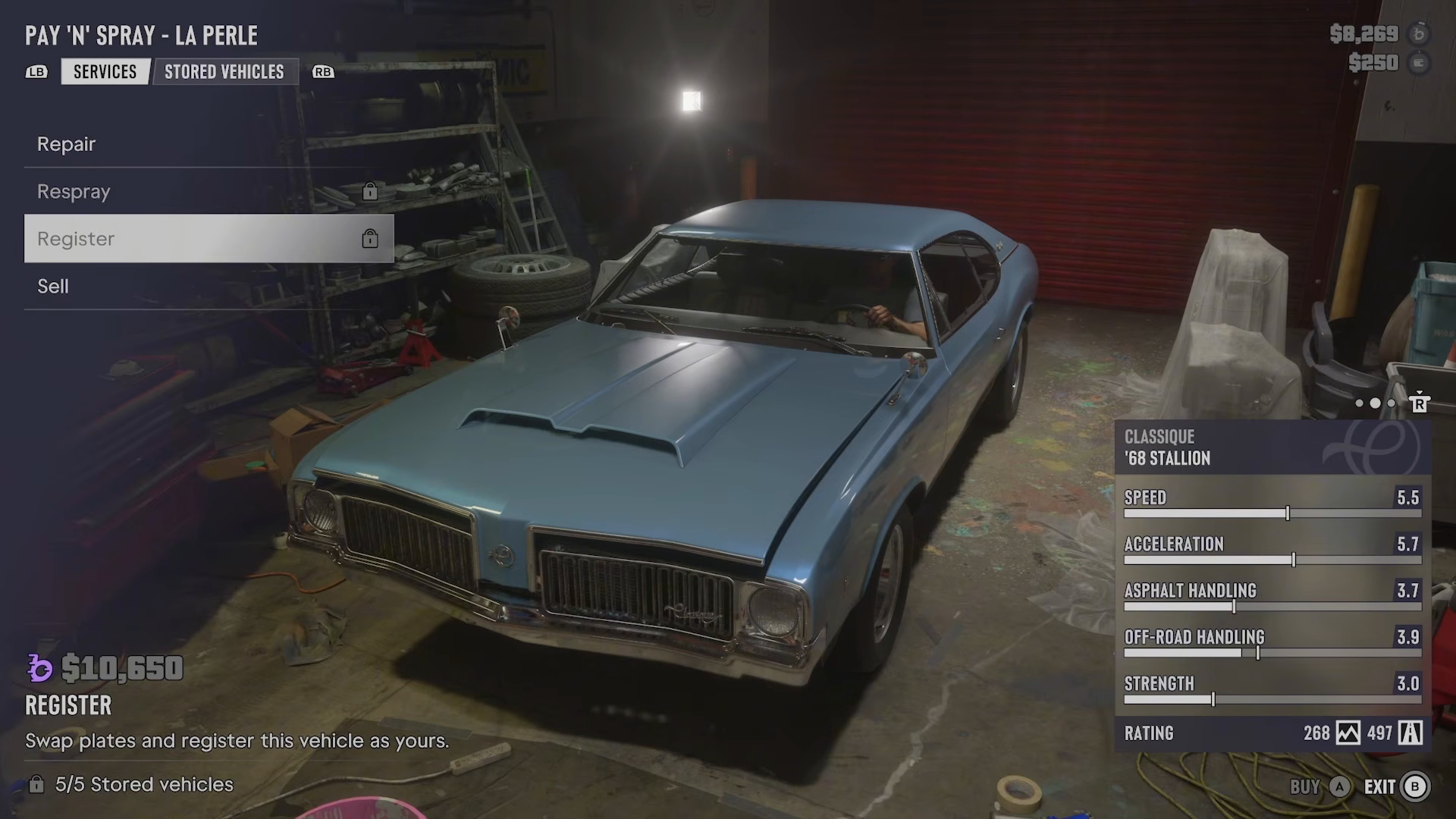
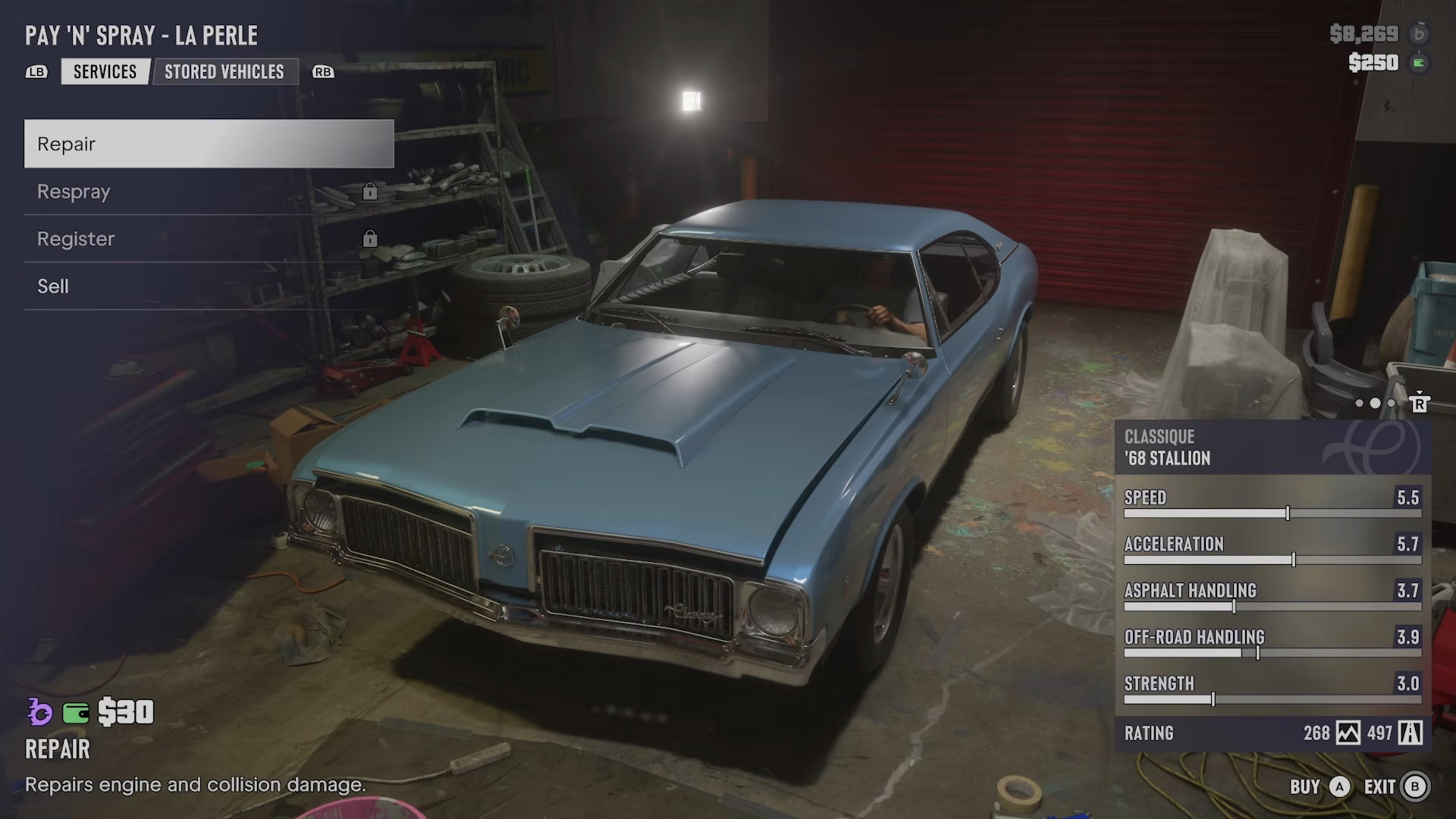
At the garage the options are repair, respray, register and sell. The menu shows a price in the top right corner for the highlighted option. On the Register screen for La Perle the text reads “Swap plates and register this vehicle as yours”, and the cost shown is $10,650, the same figure as the cost to register on that car’s vehicle panel.
Sell sits right beside it. The same garage will buy the car instead, and the sell screen marks the car as “Can be sold” and describes the option as selling a vehicle to make money. Register and sell use the same car, so decide before you confirm. Selling pays you. Registering costs you, and in return you keep the car.
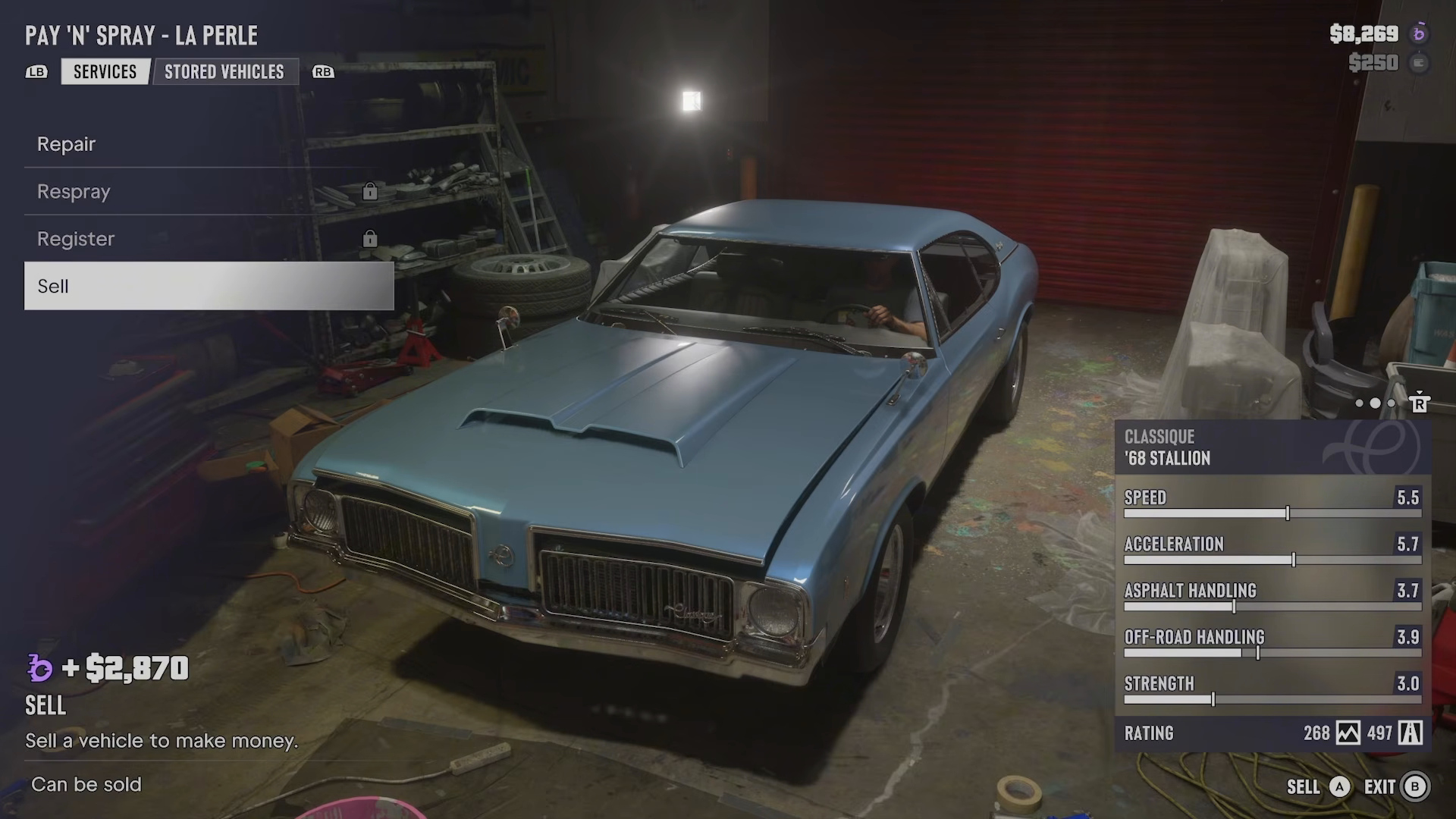
Compare the numbers before choosing. The Stallion on the vehicle panel sells for $2,900 and costs $10,650 to register, so on paper registering it costs far more than the car is worth to a buyer. That makes sense only if you want that exact car in your roster.
Garage spots and stored vehicles
Registration needs room. One player skipped registering a car because the garage was full, and sold it instead. The stored vehicles tab shows your personal vehicles by name, with an empty slot labelled “Garage parking spot available” when there is space.
If every slot is taken, either sell something you no longer use or accept that the new car goes to a buyer. Once a car is registered, players report you can store it or switch between it and your other personal vehicles.
Moses and untracked cars
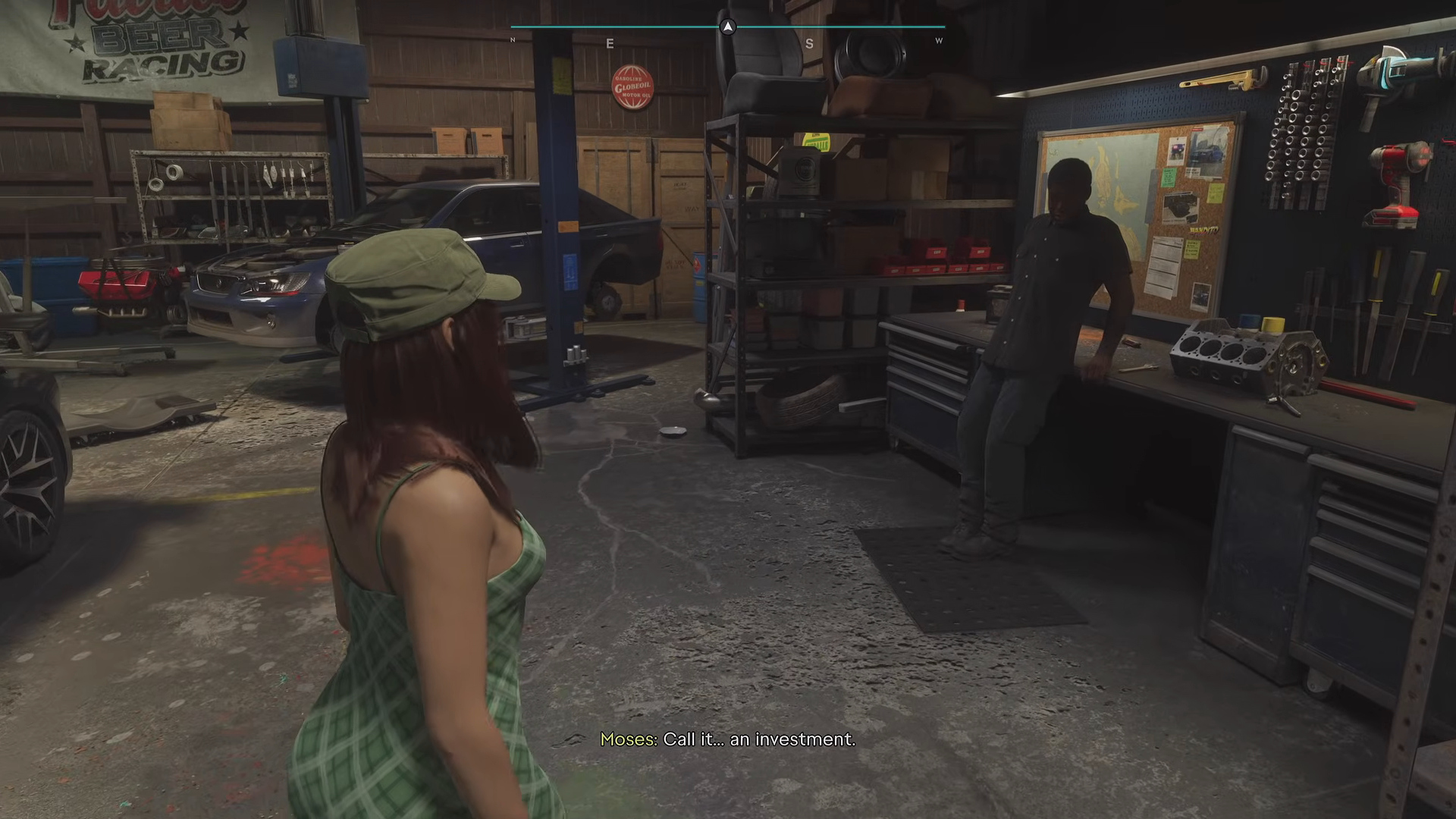
Moses is the answer for cars with no tracker. Players say he only takes untracked cars and will not accept a vehicle with a tracker on it. In one test a player could not sell or register a tracked car with him at all, so look at the tracker line on the vehicle panel before you drive across the map.
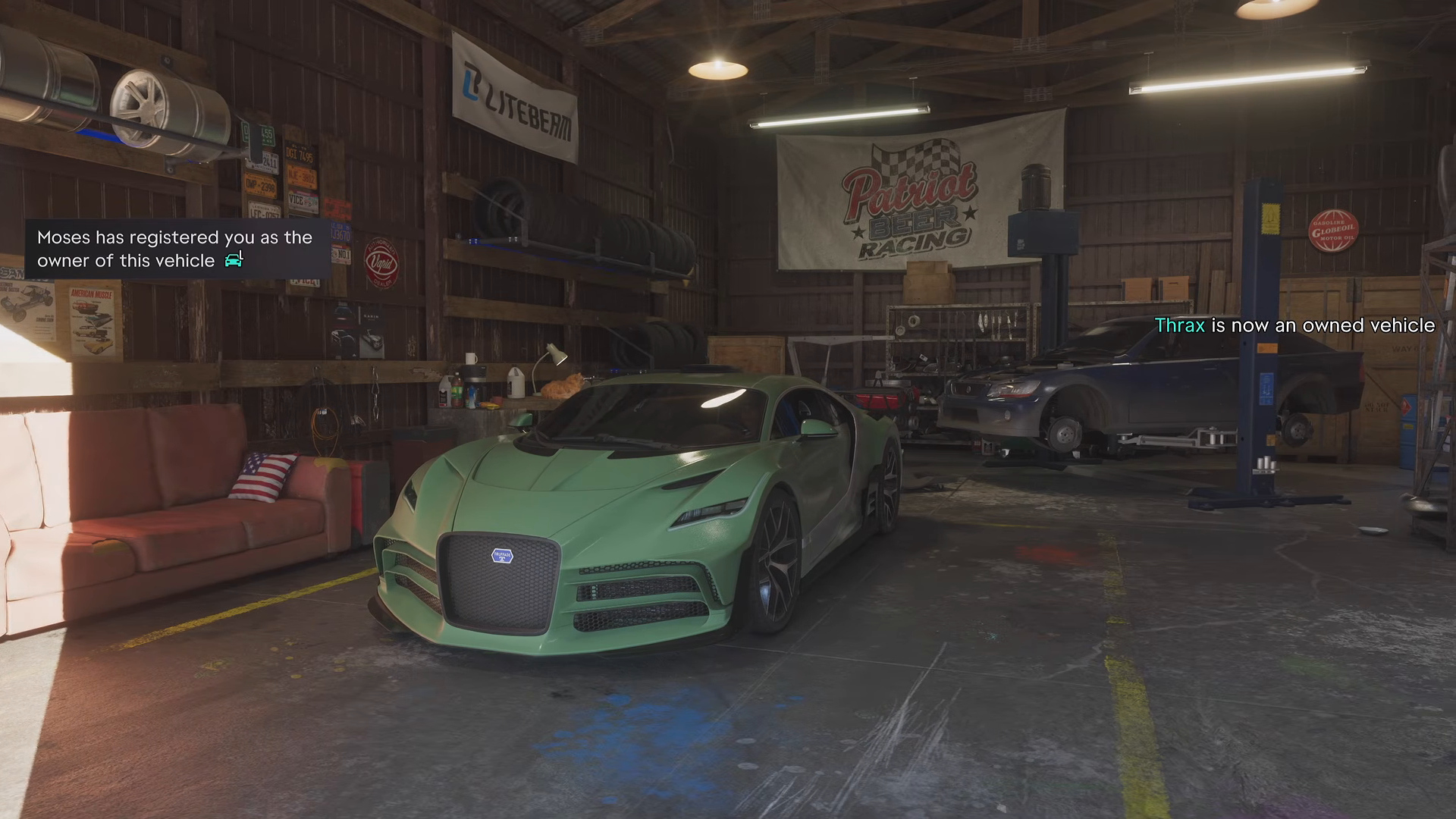
Your first registration with Moses can cost nothing. When you bring him a car that qualifies, the game shows “This vehicle is suitable to take to Moses Watkins” as you drive it. He then says: “Just this once. I’ll get your ride registered for you on the house.” A notice confirms “Moses has registered you as the owner of this vehicle”, followed by the car’s name and “is now an owned vehicle”. Players report later registrations with him are paid, so pick the first car you bring him with care.
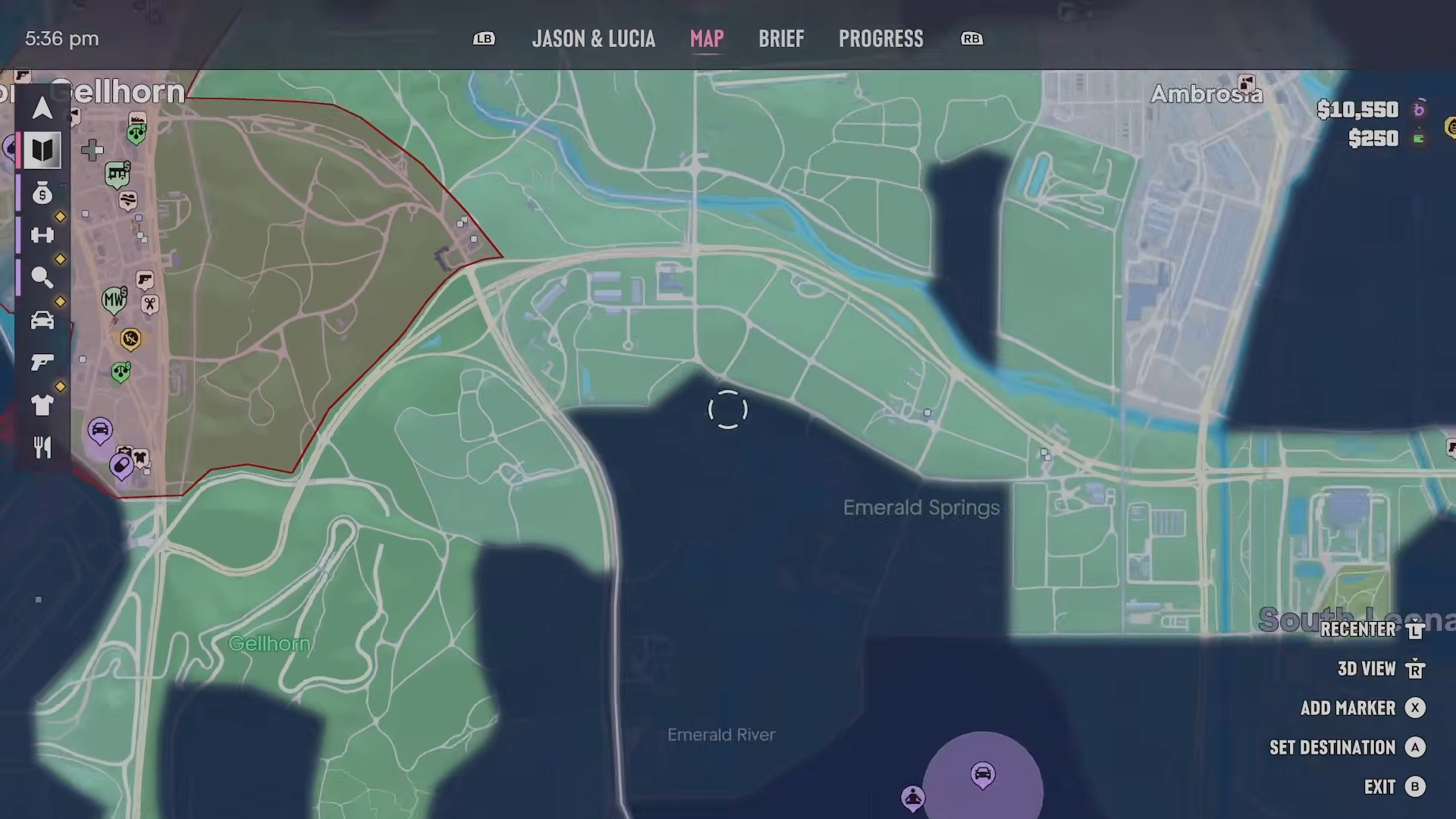
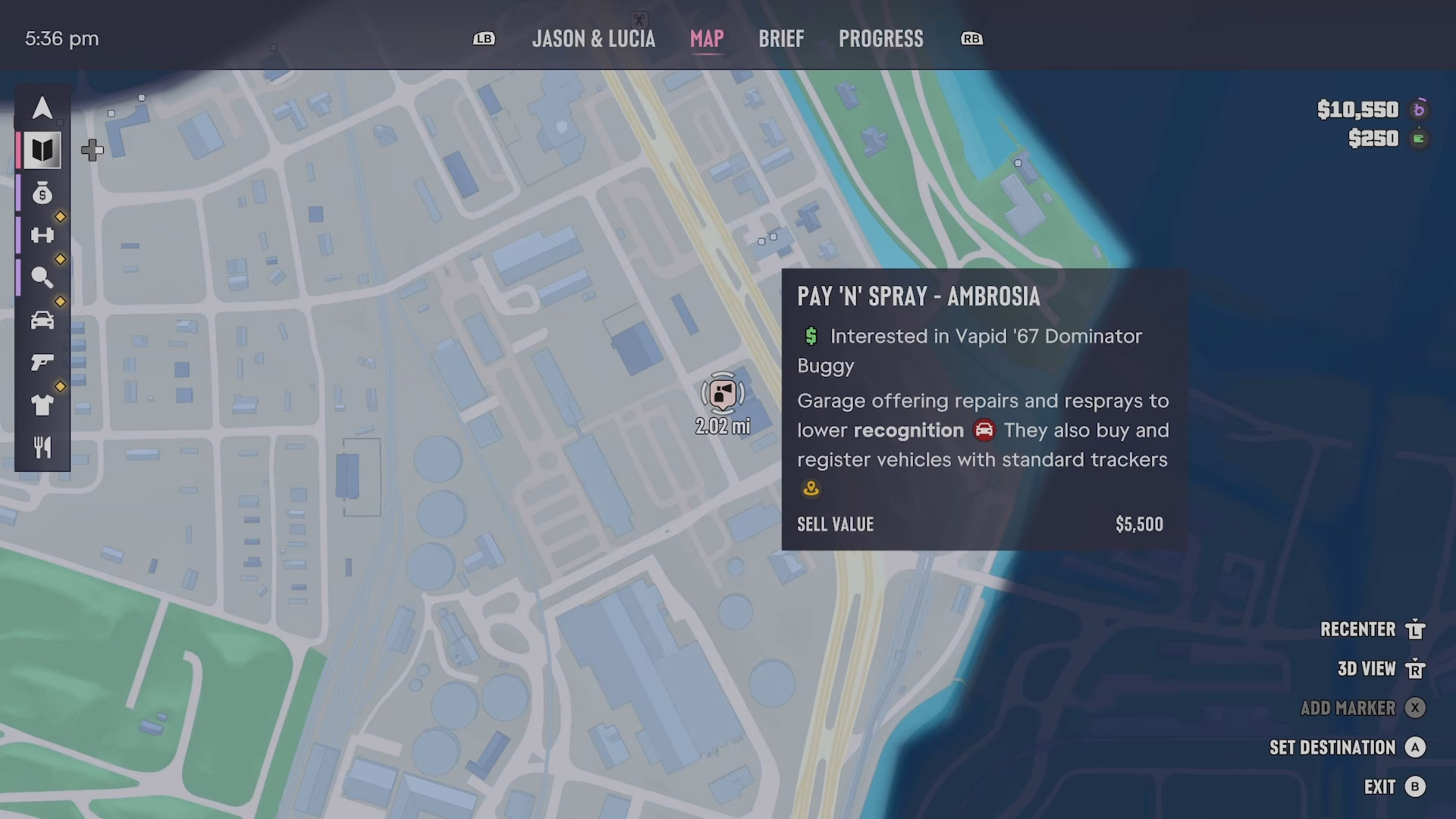
The Pay ‘N’ Spray in Ambrosia covers the other group. Its map popup says the garage offers repairs and resprays to lower recognition, and that it also buys and registers vehicles with standard trackers. The same popup names the model it wants and lists a sell value, which is how you tell it is a match for your car.
Calling it with Scooter Bros
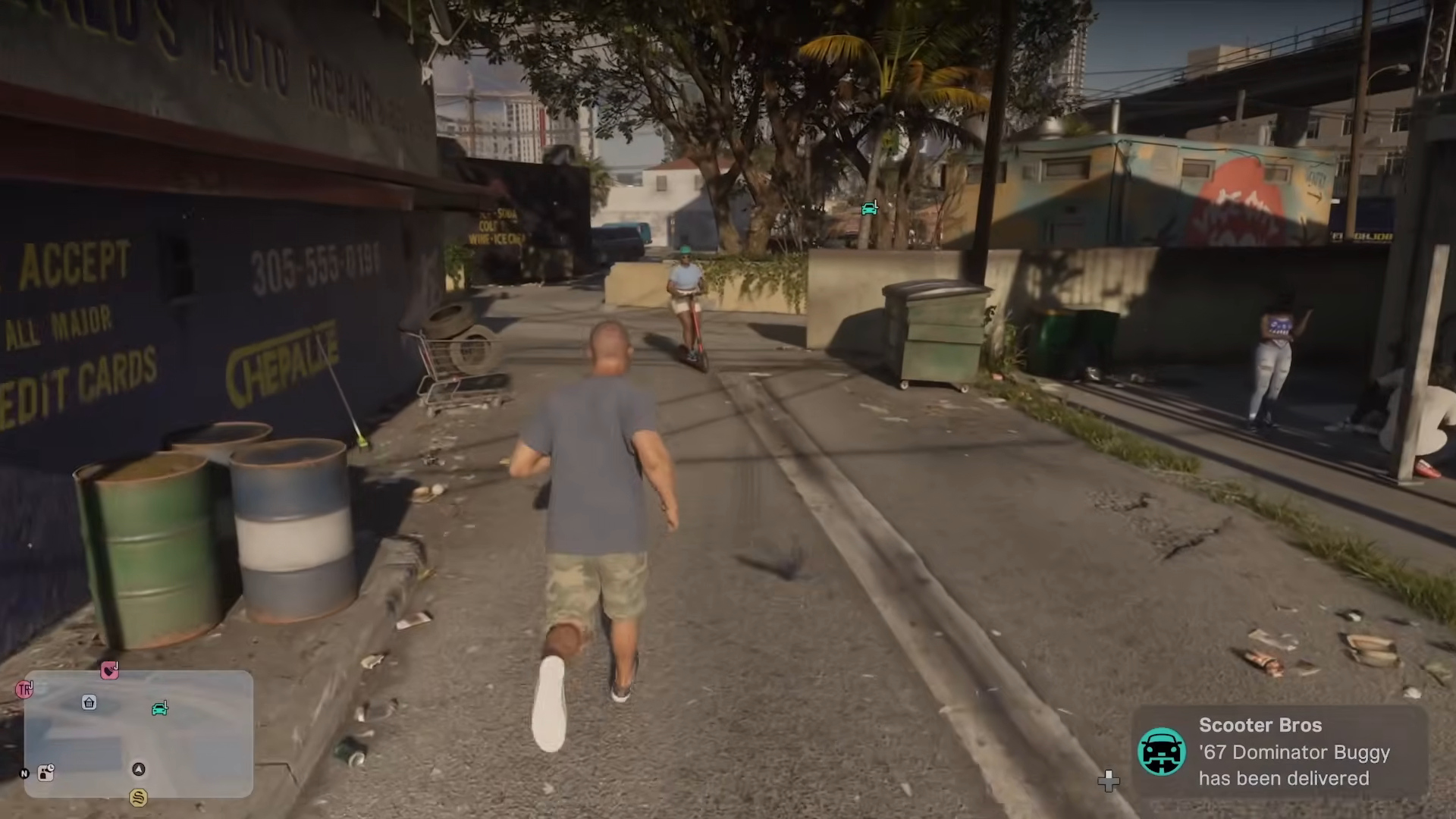
Once the car is registered, the Scooter Bros app is how you get it. The phone shows My Vehicles, plus lists for impounded vehicles and the garage. Call a car and a notification says it has been delivered.
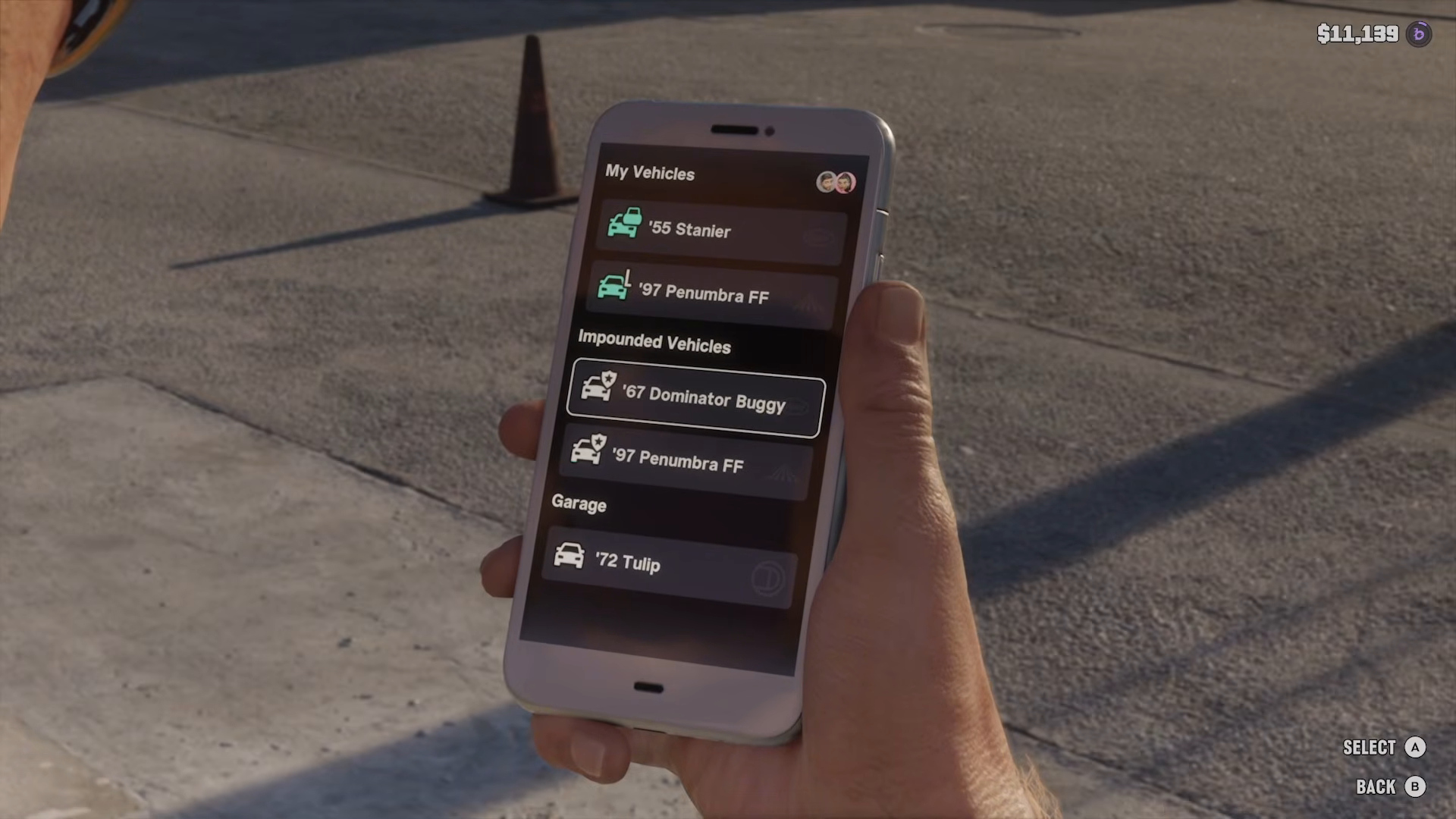
Players say this is the real benefit of registering, since you can call the car in from anywhere. One player called in a buggy that had been impounded, and it arrived as a new personal vehicle.
Which cars cannot be registered
Some vehicles cannot be registered. The check is simple. Scan the vehicle, and if it shows no sell value and no registration value, it cannot be registered. Players say this mostly hits police cars. They also report that pick-up trucks, tow trucks and big vans are blocked. Treat that list as player-reported, since a full list has not been confirmed.
Register or sell: how to decide
Both options sit in the same Pay ‘N’ Spray menu, and both depend on the same two numbers on the vehicle panel. The first is the sell value, which is what a buyer pays. The second is the cost to register, which is what you pay to keep the car. The panel also lists access, whether security is alarmed, and the tracker type, so you can see everything that matters in one place before you leave.
A simple rule works. If you want the car in your roster because you like driving it or want it available on call, register it and make sure a spot is free. If you only want cash, sell it at the venue that lists an interest in that model. The map popup for a venue shows its own sell value, so two venues can quote different prices for the same car. Compare them before you commit, since the interested venue is the one that lists the model by name.
The tracker line decides the venue. An untracked car goes to Moses. A car with a standard tracker goes to a garage that handles standard trackers, such as the Pay ‘N’ Spray in Ambrosia. If you take the wrong car to the wrong place, you lose the trip, so the panel check is worth the few seconds it takes.
What is not confirmed yet
A few details are still open. The full list of cars that cannot be registered has not been confirmed, only the police cars, pick-up trucks, tow trucks and big vans that players report. The cost to register clearly changes by car and by venue, so the figures on this page are examples and not a price list. How many garage spots you get is also not confirmed, though the stored vehicles tab shows exactly how many are free at any moment.
Where exactly
Where exactlyVenues for registering
- La Perle Pay 'N' SprayA garage with an open-7-days sign. Its menu has Repair, Respray, Register and Sell.
- Ambrosia Pay 'N' SprayMap popup says it buys and registers vehicles with standard trackers.
- MosesMap popup marks the stop for untracked vehicles.
- Map popupsEach venue popup names the models it is interested in, and a separate popup warns when the cops are actively looking for you in an area.
Keep an eye on the map popup that warns the cops are looking for you in an area. Driving a car you want to register through a hot area can cost you the trip.
Common mistakes
Common mistakes
Driving to Moses with a tracked car.
Fix Read the tracker line on the vehicle panel first. Moses takes untracked cars only, and standard-tracker cars go to a venue like the Ambrosia Pay 'N' Spray.
Showing up with every garage spot full.
Fix Open stored vehicles before you leave and make sure one slot reads empty.
Trying to register a police car, tow truck or big van.
Fix If the scan shows no sell value and no registration value, pick another car.
Ignoring the cost to register.
Fix Compare it with the sell value. A car can cost several times its sale price to register.
Picking a venue at random.
Fix Hover over the venue or read its map popup. It tells you whether your car can be used there.
Questions players ask
How do I register a car in GTA 6?
Drive the car to a Pay 'N' Spray garage, open the menu, and pick Register. The menu text says it swaps plates and registers the vehicle as yours. You need a free garage spot first.
How much does it cost to register a car in GTA 6?
It depends on the car. The vehicle panel lists a cost to register next to the sell value. One car showed $10,650 to register against a $2,900 sell value, so check the panel before you drive over.
Why can't I register my car?
Two common reasons. Your garage spots may be full, or the venue may not take that car. Moses only takes untracked cars, and some vehicles, such as police cars, show no value at all.
Can I register a police car or a tow truck?
Players report no. A scanned vehicle with no sell value and no registration value cannot be registered, and pick-up trucks, tow trucks and big vans are reported as blocked too.
How do I get a registered car back?
Use the Scooter Bros app on your phone. A registered car sits in your personal vehicles list and can be called in, and a notification tells you when it has been delivered.