Story mission
GTA 6 Chapter 1: gym, wardrobe and Brian's texts
How the quiet stretch in GTA 6 Chapter 1 plays out: the home gym, the wardrobe, a $1,200 payment, Brian's texts and the drive to the next job.
By the Vice Tally field teamPublished Updated
This stretch of Chapter 1 is a breather between jobs: Jason works out on the deck at his house, changes clothes in the wardrobe, checks his phone, reads two texts from Brian and then drives off with a small crew toward a locker job. It starts at the house on stilts and ends in a car outside Grassrivers National Park, where the plan for locker seventeen is laid out.
At a glance
- Starts
- Jason's house, on the home gym deck
- Ends
- In the car near Grassrivers National Park
- Cash gained
- +$1,200 payment
- Vehicle used
- Vapid Jason's '70 Ganado, then a gray SUV
This stretch has no objective line, so the sections below follow the order of what happens on screen.
Arriving at the stilt house
The scene opens at night on a house on stilts with a red pickup parked outside. A later shot shows Jason’s house at dusk with the lights on. At the doorway, one person wears a red-and-white high-vis vest and another man stands there shirtless. A white van marked “LEONIDA DEPARTMENT OF CORRECTIONS” sits out front.
Nothing in these shots asks for input. They set the scene, and control returns when Jason is out on the gym deck.
Working out on the deck
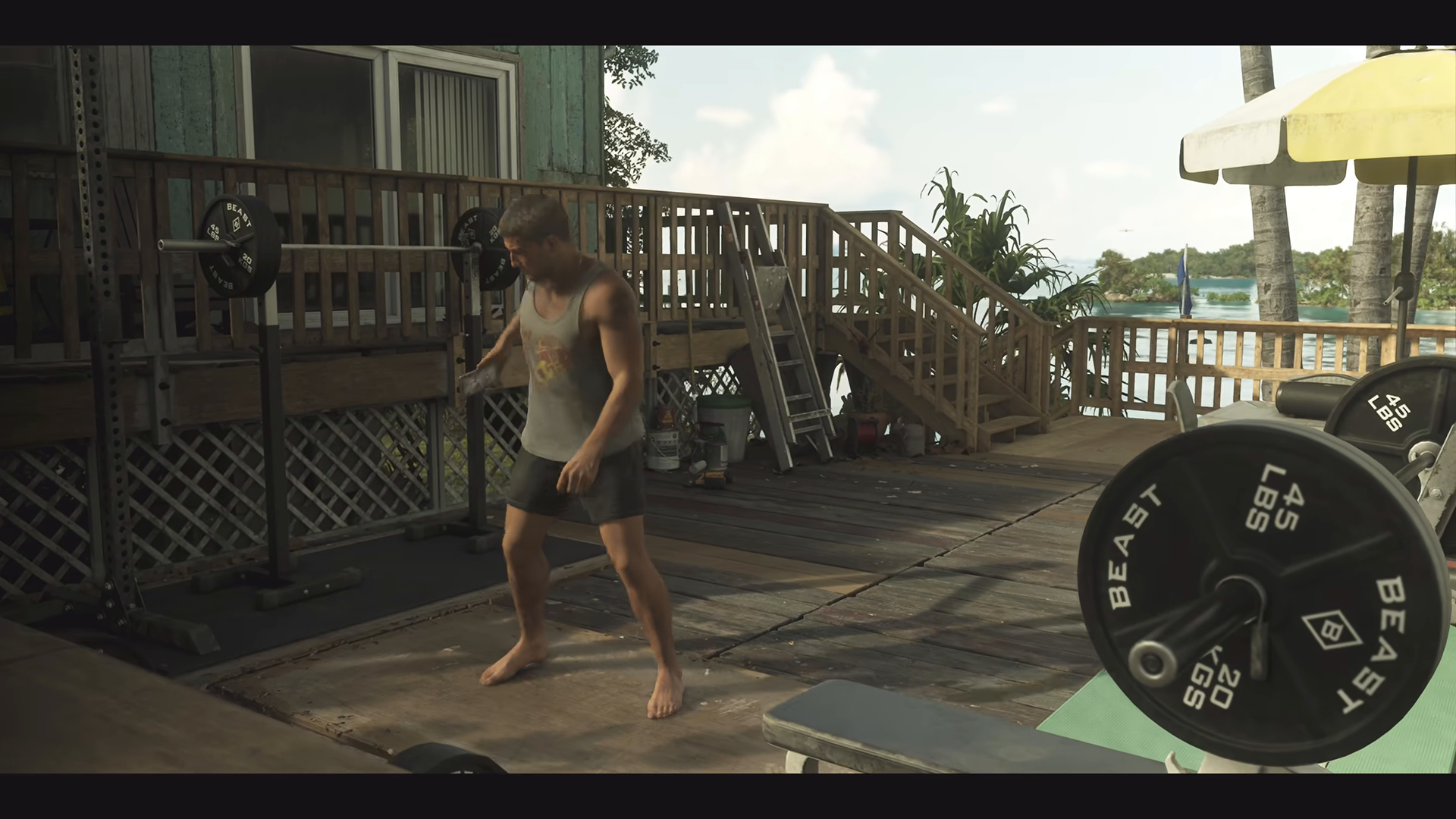
The gym is a rack and barbell on a wooden deck, with BEAST weight plates reading 45 LBS and 20 KGS. Jason stands at the bench press with his phone out first, then starts lifting.
A HUD message explains the point of the whole routine: “Working out regularly will help improve your physique and stats.”
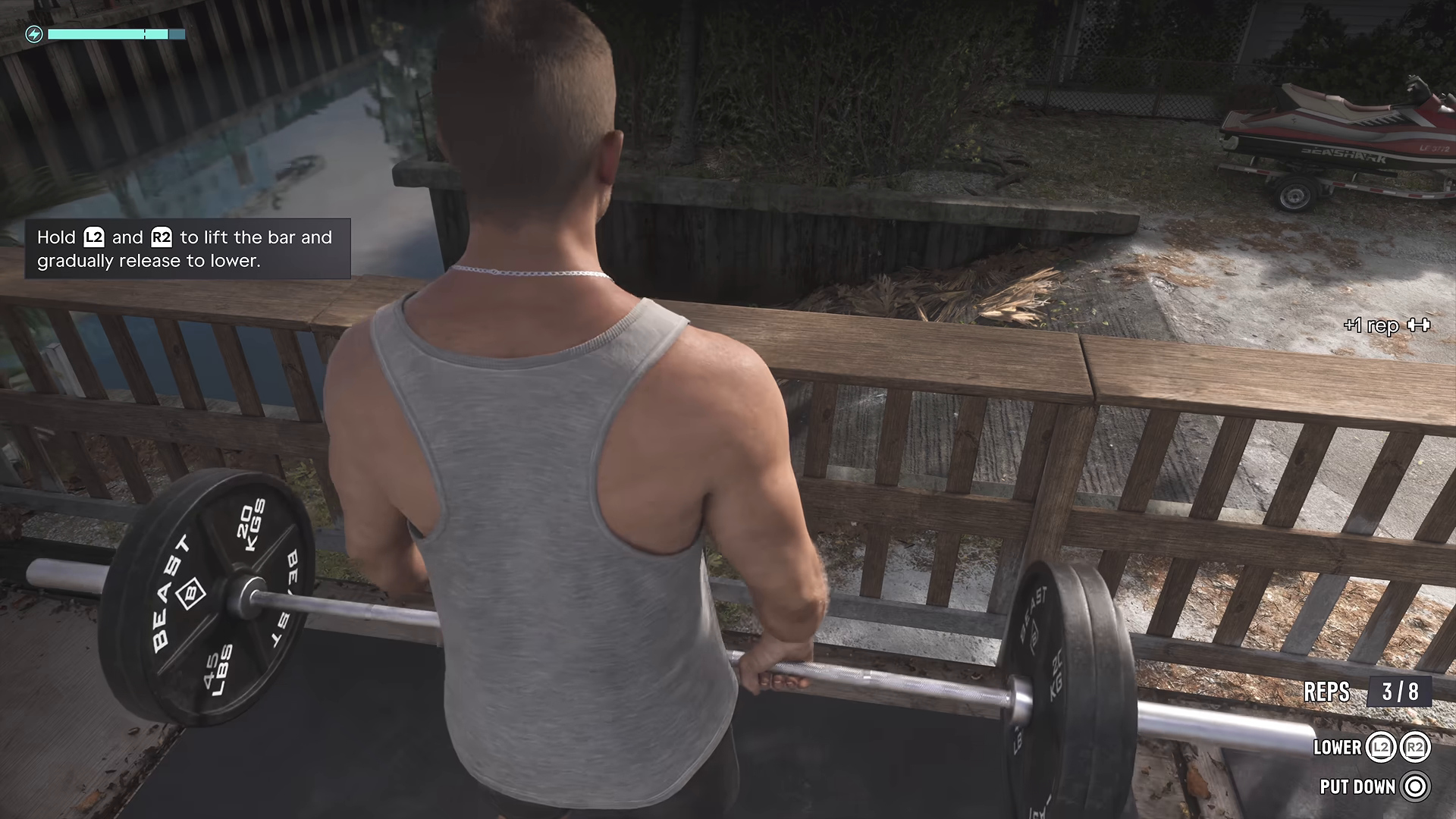
The lift works like this on the PlayStation prompts: “Hold L2 and R2 to lift the bar and gradually release to lower.” Two more prompts sit in the bottom right, LOWER and PUT DOWN. A REPS counter tracks the set, and it read 3/8 on the bar. Each good rep flashes a “+1 rep” marker at the right of the screen.
When the workout is done, a “Strength Workout +7%” notification appears in the bottom right. A second session with a kettlebell and the bench shows counters of 3/10 and later 7/10, so the number of reps depends on the exercise.
What the fitness tips say
The phone has a fitness app that lists “Strength Workout” at Level 3/4 and “Cardio Workout” at Level 1/4, plus a “Workout window” and a “Diet & Nutrition” entry. The Strength page is worth reading in full because it states the rules plainly:
- Strength exercises, like weight training and pull-ups, improve your health and build muscle.
- Stay consistent and hit the gym during your workout window. If you miss a window, or don’t complete a full workout, you’ll lose your gains.
- After a successful workout, make sure to eat some protein and rest up.
- Eating and being well-rested before a workout will also help with performance. If you’re tired, it will impact your stamina recovery.
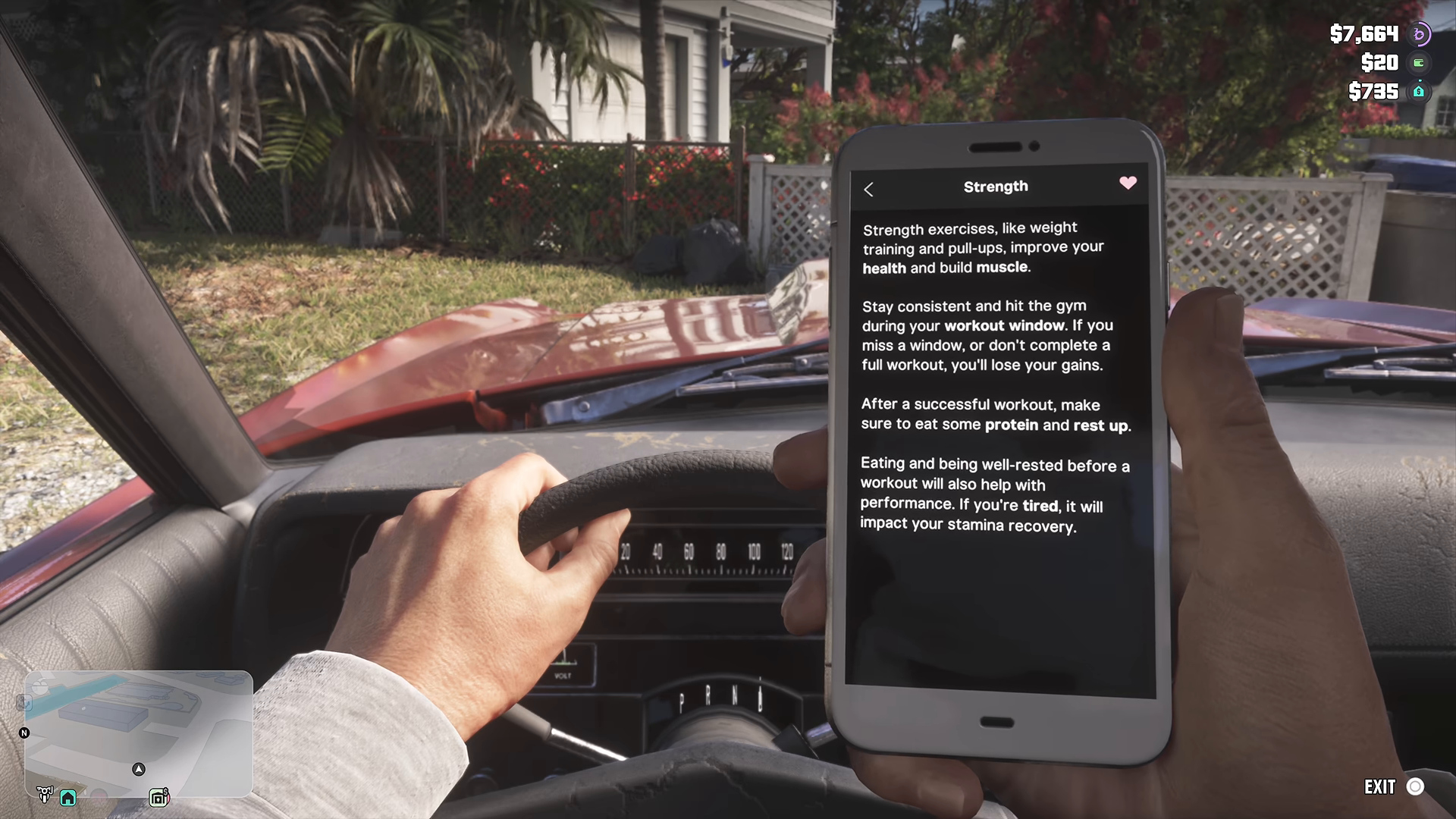
The page does not give the length of the workout window or an exact amount of lost progress. Both are not confirmed yet.
Changing clothes in the wardrobe
The wardrobe menu has the headings OUTFITS, TOPS, BOTTOMS, FOOTWEAR and ACCESSORIES. Under Bottoms the entries include Pants and Shorts, and a Footwear screen shows SNEAKERS and LOW TOPS. The tops screen is titled “TOPS / SWEATSHIRTS” and previews an “ARMY SWEATSHIRT” in “LIGHT GRAY HEATHER MELANGE”, with the status line “Not wearing”.
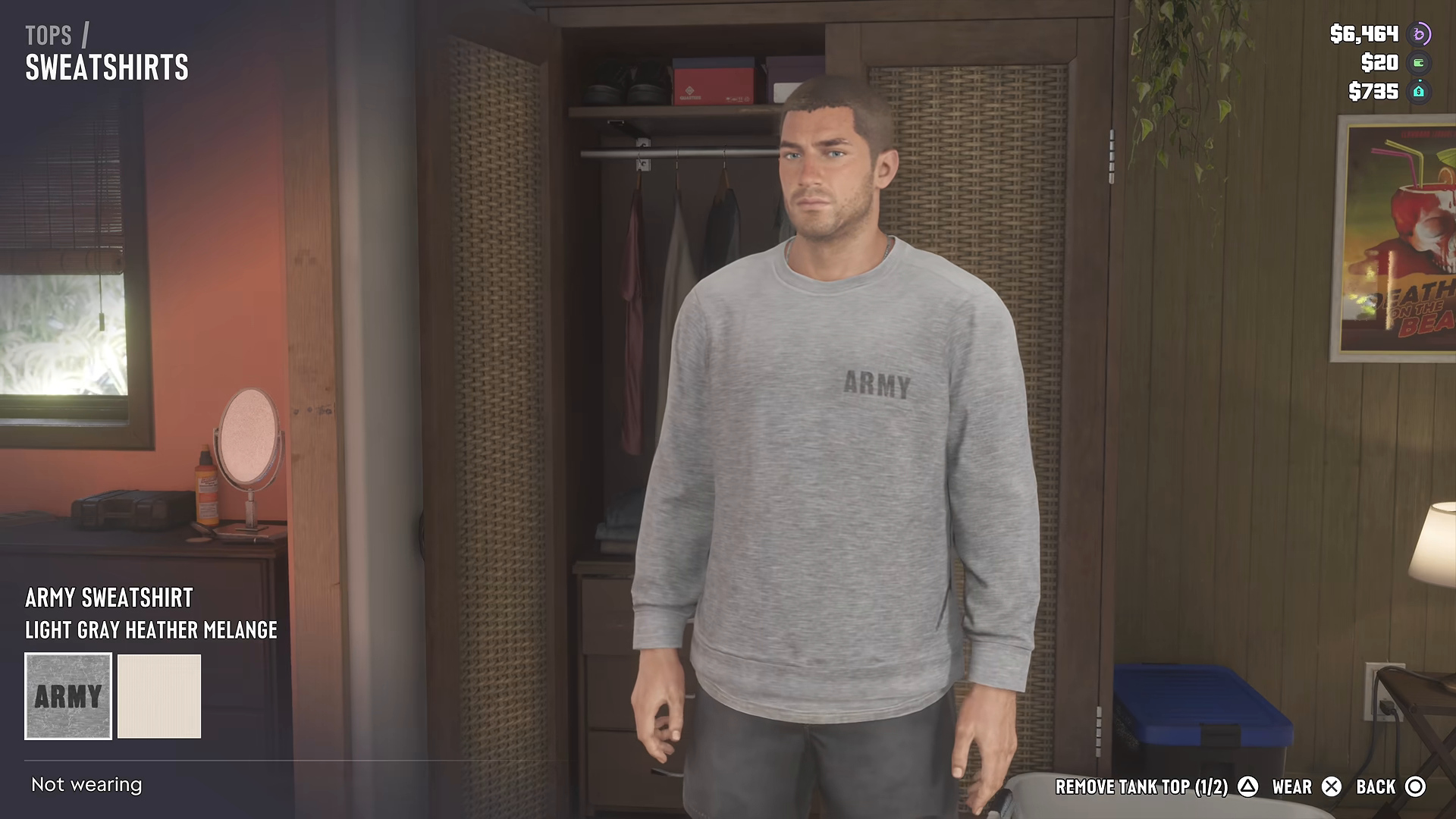
The bottom prompts on that screen read “REMOVE TANK TOP (1/2)”, “WEAR” and “BACK”. The HUD shows $6,464 in this menu.
The $1,200 payment and the outfit tip
Out by the door Jason opens a phone transaction screen from “Bucked You” for +$1,200 with the note “Snow day”. The cash counter in the top right moves from $6,464 to $7,664, which fits the amount exactly.
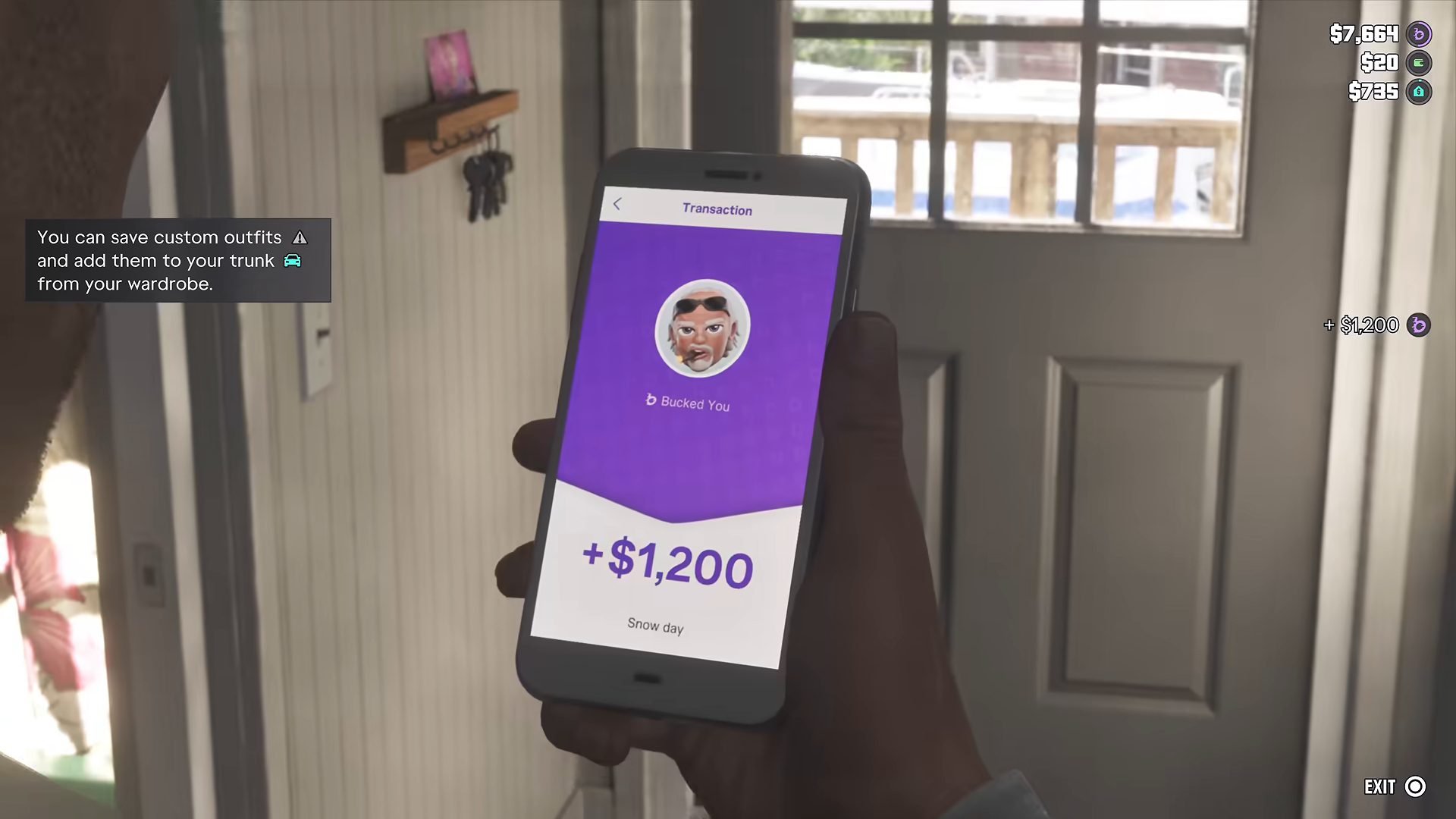
A tip appears on the left at the same moment: “You can save custom outfits and add them to your trunk from your wardrobe.” That is the game telling you that outfits can be stored and brought along in a car trunk. It does not say how many outfits you can save, and that number is not confirmed yet.
Getting into the Ganado
Jason walks out to the red pickup. The card on screen reads “VAPID / JASON’S ’70 GANADO” with the options “ACCESS” and “BACK”, and the status “REGISTERED”. The same vehicle card shows again once he is behind the wheel.
On the phone’s home screen there is a “Reminders” page with app icons. A camera mode lists TAKE PHOTO, LIGHT ON-OFF, REAR CAMERA, POSE and EXPRESSION. None of that is needed to move on, so skip it if you only want the story.
Opening the map
The pause menu has the MAP tab selected and shows the time as 10:37 am. This is a good moment to check the route, because a text from Brian is about to arrive and the game later draws a route on the minimap.
Brian’s texts
While Jason drives, a caption appears in the lower right from “Brian”: “Paid you for those bags you stashed at the lockup. Little less but that’s how it’s gotta be. Can’t be dipping into my retirement…” Open the phone to see the full thread.
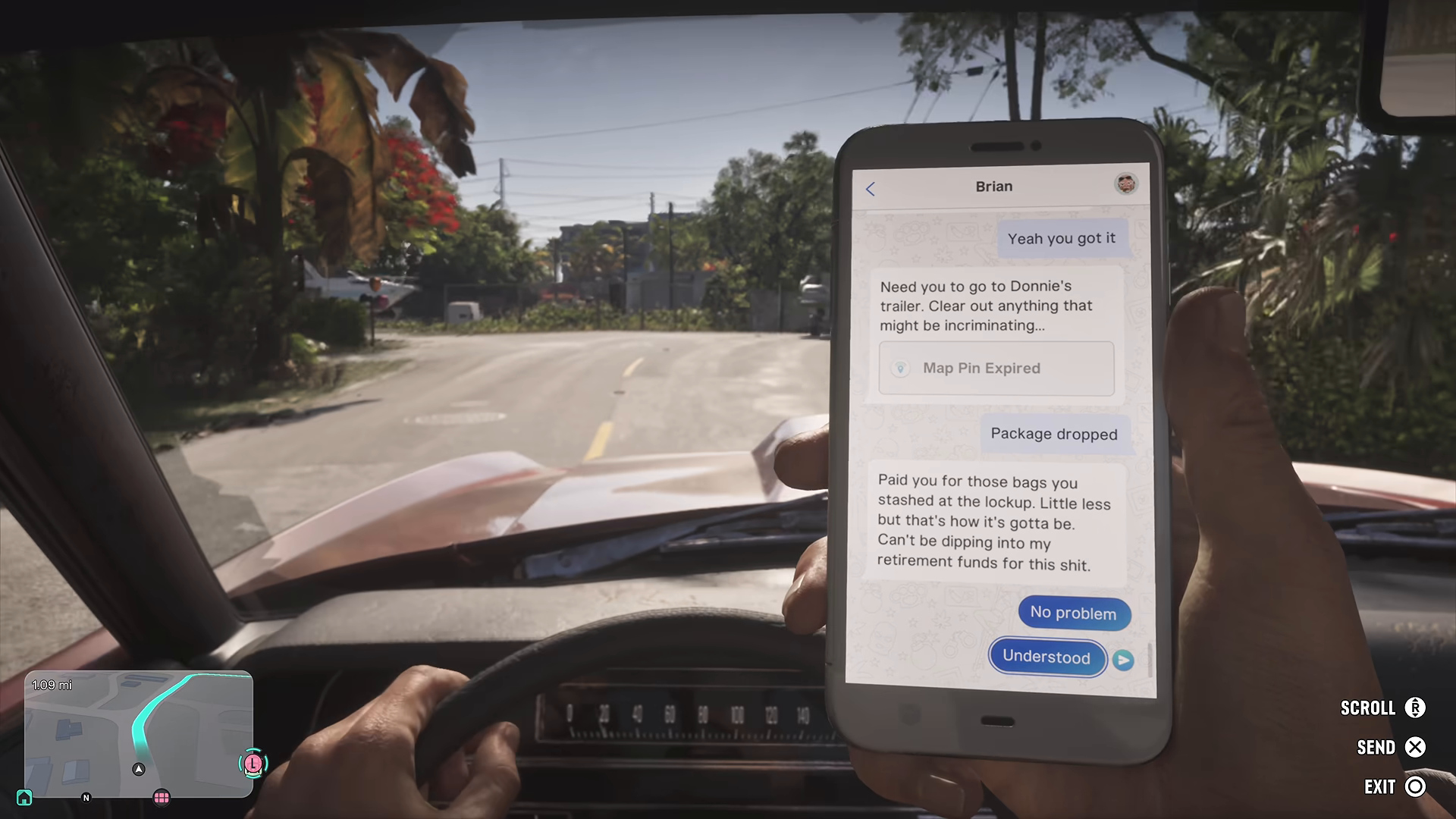
The thread reads, in order:
- Jason has already sent “Yeah you got it”.
- Brian writes: “Need you to go to Donnie’s trailer. Clear out anything that might be incriminating…” A card under it says “Map Pin Expired”.
- Jason has sent “Package dropped”.
- Brian says he paid for the bags stashed at the lockup, a little less than expected, and complains about dipping into his retirement funds.
- Two reply choices sit at the bottom: “No problem” and “Understood”.
The screen prompts are SCROLL, SEND and EXIT. The game does not show what changes if you pick one reply over the other. Whether the choice matters is not confirmed yet.
Where exactly
Where exactlyJason's house and the drive out
- Home gym deckA wooden deck behind the stilt house with a rack, bench and BEAST plates. This is where the Strength Workout notification fires.
- WardrobeInside the house, with a tall wicker-door cabinet. The tops, bottoms, footwear and accessories menus all open from here.
- Red pickupParked on the gravel drive next to the house, a Vapid Jason's '70 Ganado marked REGISTERED.
- Roadside billboardA truck billboard reading CHATFIELD shows up while the GPS route is active.
- Grassrivers National Park signA stone sign reading 'Grassrivers National Park, The State of Leonida' near a road with palm trees, shortly before the locker briefing.
Driving out with the crew
The route runs along a highway, past a shopping strip and through a turn with the GPS reading “Turn Left 56 ft”. Later the drive passes an intersection with palm trees and US flags, a red car in view. The exact destination of this first drive is not confirmed yet.
One scene on a seawall shows Jason and Lucia by a bridge, followed by a patio with a yellow-and-white umbrella and the same bridge in the background. There, a spoken line asks: “Is this too risky?” and the answer is: “Any job we can get right now is a risk.”
Getting the crew ready
In a living room, the talk turns to disguise. A woman in a short platinum wig says: “You never told us we’d be playing dress-up.” Another character tells the group: “Alright, anything happens, you were right here, chilling on the couch.” That is the cover story for the job.
Soon after, a gray SUV waits by a palm-lined house. One character says: “Okay, just drive!” and another answers: “Okay, but pay attention!”
The locker briefing
The last stretch ends at a road sign for “Grassrivers National Park, The State of Leonida”, then a briefing in the car. A character in sunglasses holds a phone and says: “Second floor, at the end. Locker seventeen.” The reply is a plain “Okay.” Another character adds: “Nothing is wrong. You’ll be fine, and, uh, we’ll be here.”
The next job picks up from this briefing at the visitor center.
Common mistakes
Common mistakes
Skipping the workout because it feels optional
Fix The on-screen message says working out regularly will help improve your physique and stats, and the Strength page says you lose your gains if you miss a window or don't complete a full workout. Finish the full set of reps.
Releasing the lift prompt too fast
Fix The prompt says to hold L2 and R2 to lift and gradually release to lower. Let go slowly and watch the REPS counter move up.
Working out while tired
Fix The Strength page says that if you're tired, it will impact your stamina recovery. Rest up and eat some protein after a successful workout.
Forgetting the outfit tip
Fix You can save custom outfits and add them to your trunk from your wardrobe. Save your disguise outfit before a job if you want it in the car.
Ignoring Brian's thread
Fix Open the phone and scroll. The text about Donnie's trailer is the second message, and the reply choices are No problem and Understood.
Related guides
If you are working through the chapter in order, the previous job is the recalibration scene and the next one is the visitor center locker shootout. For the bigger picture of the opening, see the Donnie camp guide linked below.
Questions players ask
How do I lift the bar at the home gym in GTA 6?
The prompt reads 'Hold L2 and R2 to lift the bar and gradually release to lower.' A REPS counter such as 3/8 shows your progress, and a '+1 rep' marker pops up for each lift.
What happens if I miss my workout window?
The Strength page on the phone says that if you miss a window, or don't complete a full workout, you'll lose your gains.
Can I save outfits in the GTA 6 wardrobe?
Yes. A tip on screen says you can save custom outfits and add them to your trunk from your wardrobe.
What does Brian text you in Chapter 1?
He asks you to go to Donnie's trailer and clear out anything that might be incriminating. He also says he paid you for the bags you stashed at the lockup, a little less than expected.
Which locker do you need in the next job?
A character in the car says: 'Second floor, at the end. Locker seventeen.'